40 Procreate & Photoshop Hair Brushes
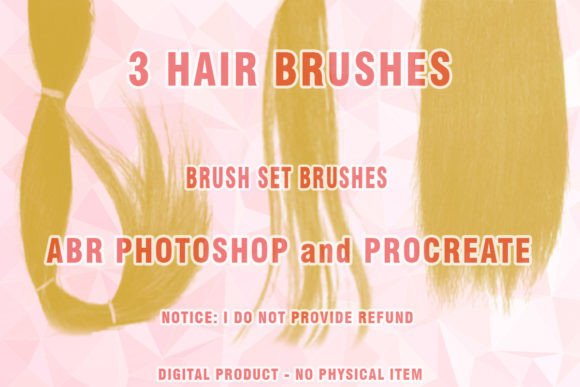
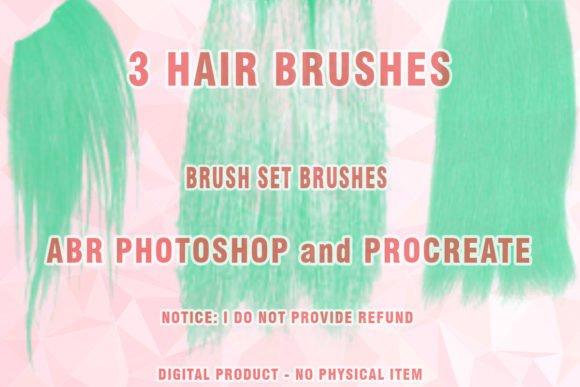
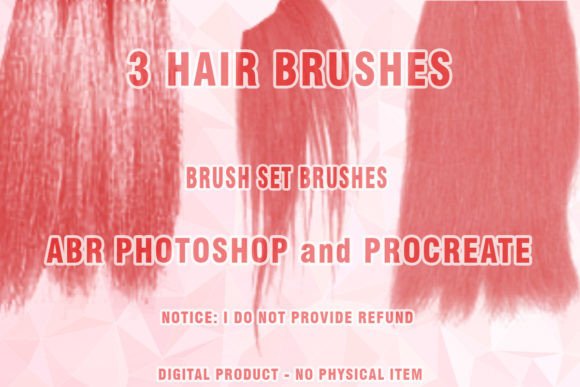
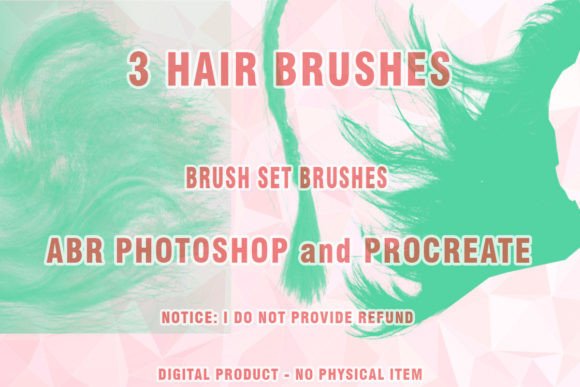
Digital illustration has evolved rapidly, yet one element remains notoriously difficult to master: hair. Whether you are rendering realistic strands for a portrait or stylized locks for a character design, the texture and flow of hair can make or break an image. This is where specialized tools become essential. The Hair Brushes Procreate and Photoshop 40 collection offers a streamlined solution for artists seeking efficiency without sacrificing artistic integrity. By providing forty distinct brush presets, this digital product addresses the common pain points of painting hair manually, such as repetitive stroke patterns and inconsistent texture.
This set is designed as a versatile resource for both iPad users working in Procreate and desktop artists utilizing Adobe Photoshop. The brushes are delivered in the standard .ABR file format, ensuring broad compatibility with modern creative software. Upon purchase, you receive a compressed .ZIP file containing the necessary assets. It is important to note that while these tools are robust, they are optimized for current software iterations. Users operating on very old versions of Photoshop, specifically CS3 or earlier, may experience partial functionality or incompatibility, as these legacy platforms are no longer supported by developers.
Why Specialized Brush Sets Matter
For many digital artists, the decision to invest in a dedicated brush set like this one comes down to workflow optimization. Painting hair from scratch using standard round or flat brushes requires significant time and technical skill. You must manually build up layers, adjust opacity, and carefully guide each strand to create volume and movement. A specialized brush set automates much of this textural complexity. The stamps and strokes within these forty brushes are pre-configured to mimic the natural clumping, frizz, and shine of real hair.
The inclusion of Wigs Photoshop Brushes and specific Digital hair tools means that artists can switch between different styles quickly. One moment you might be painting sleek, straight hair, and the next, you need voluminous curls or messy buns. Having a diverse library allows for rapid experimentation. This flexibility is crucial for professionals who work under tight deadlines, but it is equally valuable for hobbyists who want to explore new styles without getting frustrated by technical limitations.
Perspectives from Different Creators
The value of this toolset varies depending on your role in the creative ecosystem. Understanding how different users interact with these resources can help you determine if they align with your specific goals.
For Beginners and Students
If you are new to digital art, the learning curve for painting realistic hair can be steep. Beginners often struggle with making hair look "plastic" or overly uniform. This Hair ABR collection serves as an educational aid. By observing how the brushes lay down pigment, new artists can learn about light, shadow, and strand direction. It provides a safety net, allowing students to produce polished-looking work early in their journey, which can boost confidence and motivation. The ease of use means less time fighting the software and more time focusing on composition and color theory.
For Professional Illustrators and Concept Artists
Experienced professionals prioritize speed and reliability. In a commercial setting, time is money. A concept artist working on character designs for a game or film needs to iterate quickly. Using Abr brushes tailored for hair allows them to block in shapes and add detailed textures in a fraction of the time it would take to paint every strand individually. The Painted hair effect achieved with these tools is consistent, ensuring that character sheets maintain a cohesive look. For these users, the primary benefit is not just the aesthetic quality, but the reduction in manual labor.
For Entrepreneurs and Small Business Owners
Creative entrepreneurs, such as those running print-on-demand shops or offering freelance illustration services, often need to produce high volumes of content. A blogger creating header images or a marketer designing social media graphics can use these brushes to add a human touch to digital compositions. The ability to quickly generate attractive Digital brush strokes for hair elements can enhance the visual appeal of promotional materials. For small business owners, the commercial value lies in the professional finish these brushes provide, helping their brand stand out in a crowded digital marketplace.
For Educators and Content Creators
Educators teaching digital art courses can use this set to demonstrate specific techniques. Instead of spending an entire lecture on the mechanics of hair rendering, instructors can use the brushes to show how texture interacts with light. Similarly, content creators who produce tutorials or speed-paint videos can leverage these tools to keep their audience engaged. The visual impact of Wigs ABR Photoshop tools can make tutorial content more dynamic and easier to follow for viewers.
Technical Considerations and Compatibility
Before integrating any new digital asset into your workflow, it is vital to understand the technical requirements. This product is a digital download, meaning there is no physical shipping involved. Once you complete the transaction, you will receive a link to download the .ZIP archive. Inside, you will find the .ABR files ready for installation.
Installation is straightforward for most users. In Photoshop, you can typically double-click the .ABR file or load it through the Brush Preset manager. In Procreate, the process may involve importing the brush set via the import function, depending on the specific file packaging provided. However, compatibility is a key factor. As mentioned, this set is designed for modern software environments. If you are using Photoshop CS3 or earlier, you may encounter issues. These older versions lack the advanced brush engine features that modern Abr brushes rely on, such as complex shape dynamics and texture blending modes. Therefore, users with outdated software should consider upgrading to ensure full functionality.
Evaluating Fit for Your Projects
To determine if Hair Brushes Procreate and Photoshop 40 is the right addition to your toolkit, consider your current project needs. Are you working on portraits that require realistic detail? Or are you creating stylized characters where exaggerated hair shapes are more important than photorealism? This set covers a range of styles, but it is particularly effective for semi-realistic and realistic renders.
Also, consider your hardware. While the brushes are lightweight, rendering complex strokes on an older tablet or computer with limited RAM might cause lag. Ensure your device meets the recommended specifications for your chosen software. For iPad users, verify that your version of Procreate supports the brush features included in the set.
Ultimately, the goal of any digital tool is to enhance your creativity, not restrict it. This brush set offers a balance of control and automation. It allows you to focus on the artistic decisions—such as color choice, lighting, and composition—while handling the tedious aspects of texture generation. Whether you are a freelancer looking to speed up your workflow, a student eager to improve your skills, or a hobbyist seeking to elevate your personal projects, these forty brushes provide a practical foundation for better digital hair rendering.
By understanding the specific benefits for your unique position in the creative world, you can make an informed decision. The versatility of having both Procreate and Photoshop compatibility ensures that you can carry your preferred tools across different devices and workflows, making this a long-term asset for your digital artistry.