Flower Brushes Stamp for Procreate: Avoiding Common Pitfalls for Better Digital Art
Digital illustration has democratized creativity, allowing anyone with a tablet to produce stunning visuals. Among the most popular tools for adding organic elegance to designs are floral assets. Specifically, the Flower Brushes Stamp for Procreate has become a go-to resource for designers who want efficiency without sacrificing aesthetic quality. However, simply downloading a brush set does not guarantee professional results. Many creators stumble over technical incompatibilities, misuse of stamp mechanics, or poor integration into their workflow.
Understanding the nuances of these tools is essential. This guide explores common mistakes artists make when selecting and using floral stamp brushes, offering practical corrections to help you maximize your creative potential while avoiding wasted time and frustration.
The Compatibility Confusion: Procreate vs. Photoshop
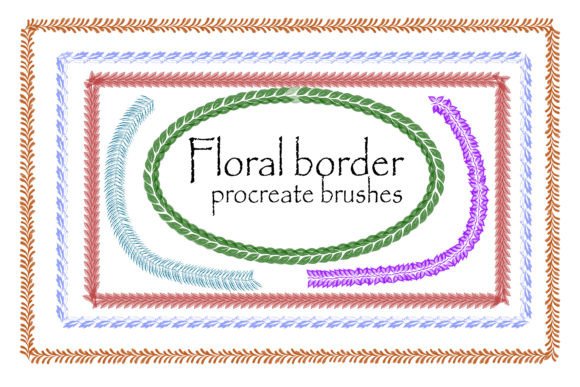
One of the most frequent errors beginners make is assuming all digital brushes work universally across platforms. The market is flooded with hybrid packs, such as those offering 6 Flower border brushes stamp for Photoshop and Procreate. While convenient, this dual-format approach often leads to confusion regarding file types.
A typical high-quality pack includes two distinct files: a .brushset file and an .abr file. The .brushset is exclusive to the Procreate app on iPad. It contains optimized metadata for Apple Pencil pressure sensitivity and tilt features. Conversely, the .abr file is designed for Adobe Photoshop but can also be imported into Procreate. Here lies the trap: importing an .abr file into Procreate often strips away the advanced dynamic settings, resulting in a static, less responsive stamp.
The Fix: Always check the file extension before importing. If you are working on an iPad, prioritize the .brushset file. Reserve the .abr file for desktop workflows or only use it in Procreate if the specific brush dynamics are not critical to your design. Ignoring this distinction can lead to inconsistent stroke behavior, forcing you to manually adjust opacity and size for every single flower, which defeats the purpose of using a stamp brush.
Misunderstanding "Stamp" Mechanics
Many users treat floral stamps like traditional painting brushes, expecting them to flow continuously. This misunderstanding leads to cluttered, unnatural compositions. A stamp brush places a pre-defined image with each tap. When users drag the stylus across the canvas, they often create overlapping, muddy clusters that lack definition.
This mistake affects the visual clarity of your work. For instance, a blogger creating a header image might end up with a dense blob of petals rather than a delicate border. The result looks amateurish and distracts from the text or main subject.
Better Approach: Use a tapping motion rather than dragging. Vary the angle and scale of each stamp manually or via randomization settings if available. Think of each tap as placing a physical sticker. This method ensures each flower retains its shape and contributes positively to the overall composition. For borders, space the stamps evenly, leaving negative space to let the design breathe.
Overlooking Resolution and Scalability
Another critical oversight involves resolution. Some free or low-cost brush sets are created at low resolutions to keep file sizes small. When you scale these stamps up for a large print project or a high-resolution web banner, they appear pixelated or blurry. This issue is particularly problematic for entrepreneurs using these assets for product packaging or marketing materials where print quality is non-negotiable.
Before committing to a design, test the brush at 100% zoom and then scale it up by 200%. If the edges become jagged, the brush is not suitable for large-format work. High-quality Flower Brushes Stamp for Procreate sets are typically vector-based or created at very high raster resolutions to maintain crispness.
Practical Advice: Always verify the intended use case. If you are designing for social media thumbnails, standard resolution may suffice. However, for print-on-demand products or large posters, invest in premium brushes known for high-resolution source images. Check reviews or product descriptions for mentions of "high-res" or "print-ready."
Neglecting Color Harmony and Customization
Beginners often use the default colors provided in the brush preview, leading to designs that clash with their brand palette or overall theme. A beautiful rose stamp in bright red might look jarring against a pastel background. Failing to customize the color undermines the cohesion of the artwork.
Moreover, some artists forget that Procreate allows for color dynamics within brushes. By ignoring these settings, they miss out on the ability to create natural variations in hue and saturation, making the floral elements look flat and artificial.
The Solution: Experiment with the color panel before stamping. Use the color harmony wheel to select shades that complement your background. Additionally, explore the brush studio settings to enable color jitter or pressure-dependent opacity. This adds depth and realism, making the digital flowers feel more organic and less like clipart.
Ignoring Licensing and Commercial Use Rights
For freelancers and small business owners, legal considerations are paramount. A common and costly mistake is assuming that purchasing a brush set grants unlimited commercial rights. Some licenses restrict the use of stamped images in logos or mass-produced merchandise. Using a restricted asset in a client’s logo could lead to copyright infringement claims.
Always read the license agreement included in the archive. Look for terms like "Commercial Use Allowed," "Print on Demand," or "Logo Restriction." If the terms are unclear, contact the creator directly. Protecting your business from legal issues is just as important as the artistic quality of your work.
Final Checklist Before You Buy
To ensure you make an informed decision, consider these points before downloading or purchasing any floral brush set:
- File Format: Does it include both
.brushsetand.abrfiles if you work across multiple devices? - Resolution: Are the stamps high-resolution enough for your intended output (web vs. print)?
- Variety: Does the set offer enough variation in flower types and stages (buds, blooms) to avoid repetitive patterns?
- Licensing: Is commercial use permitted for your specific business model?
- Compatibility: Is the version compatible with your current iPadOS or Photoshop version?
By addressing these common pitfalls, you can transform how you use digital floral assets. The right approach turns a simple tool into a powerful component of your creative workflow, enhancing efficiency and elevating the professionalism of your final designs. Whether you are a hobbyist decorating a digital journal or a marketer crafting a campaign, mindful selection and application of your Flower Brushes Stamp for Procreate will yield significantly better results.