Master Digital Hair with Procreate & Photoshop 52 Brushes
Creating realistic hair in digital art is often considered one of the most challenging tasks for illustrators and designers. Whether you are sketching a quick character concept or polishing a high-end fashion illustration, the texture, flow, and volume of hair can make or break the final image. This is where specialized tools like Hair Brushes Procreate and Photoshop 52 become invaluable assets in your creative toolkit. By leveraging pre-configured digital brushes, you can bypass hours of tedious manual rendering and focus on the artistic expression of your work.
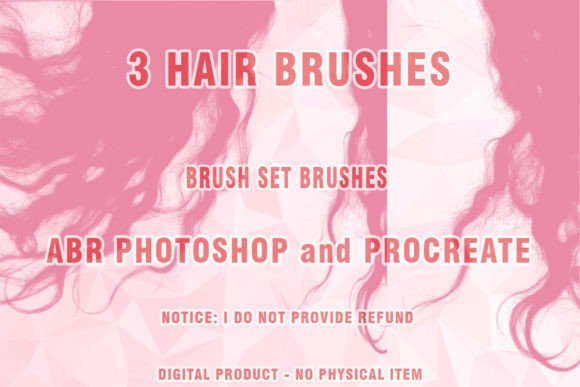
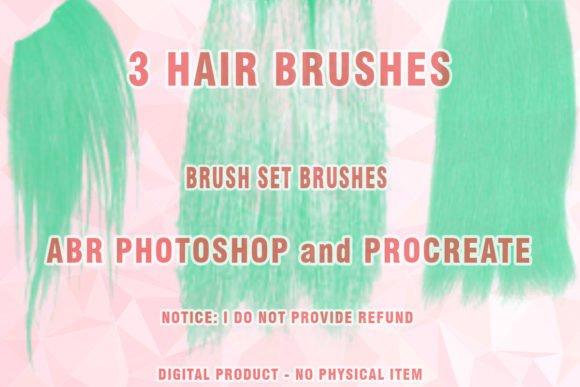
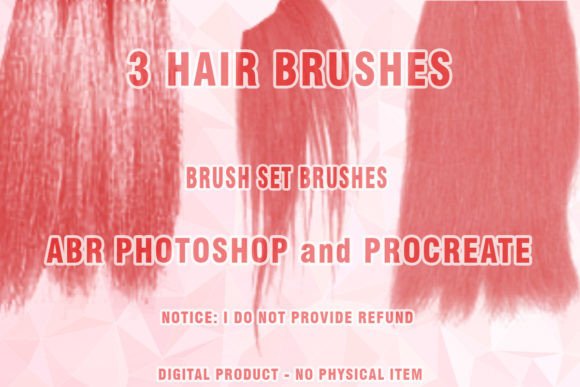
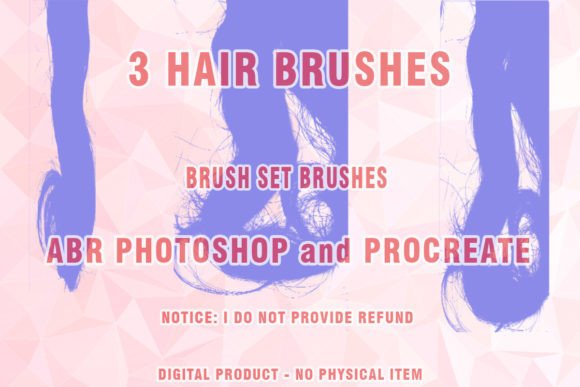
This guide explores how this specific brush set, which includes 52 versatile strokes for Procreate and Photoshop along with three dedicated wig brushes, can transform your workflow. We will look at what makes these ABR brushes unique, how to integrate them into your projects, and what you need to know before downloading.
Understanding the Value of Specialized Hair Tools
At its core, this product is a digital download containing a curated collection of brush presets. When you purchase this item, you are not receiving a physical object but rather a file that unlocks new capabilities within your existing software. The primary format provided is .ABR, which is the standard brush file type for Adobe Photoshop. For Procreate users, the set is optimized to work seamlessly within that iPad-based ecosystem as well.
The main appeal of using a dedicated brush set for hair lies in efficiency and consistency. Standard round or square brushes require significant pressure control and layering techniques to mimic the strand-like quality of human hair. In contrast, these custom brushes are engineered with specific spacing, jitter, and shape dynamics. This allows a single stroke to resemble a clump of hair, a flyaway strand, or a smooth, glossy wave. For professionals working under tight deadlines, this speed is crucial. For beginners, it provides a safety net that helps achieve professional-looking results while they are still mastering fundamental drawing skills.
Key Features and What Is Included
The collection is comprehensive, designed to cover a wide range of styles and textures. Here is a breakdown of what you can expect from this digital package:
- 52 Multi-Purpose Brushes: These are designed for both Procreate and Photoshop. They include variants for sketching, detailing, shading, and highlighting hair.
- 3 Specialized Wig Brushes: Labeled as Wigs ABR Photoshop tools, these are specifically tuned for creating structured, voluminous hairstyles often seen in fashion design or character concepts.
- Digital Hair Textures: The brushes simulate various hair types, from straight and silky to curly and coarse, allowing for diverse character representation.
- Painted Hair Effects: Ideal for artists who prefer a painterly aesthetic over hyper-realism, these brushes blend colors smoothly while maintaining strand definition.
It is important to note that this is a digital product. Upon purchase, you download a compressed file. The files are packaged in a .ZIP format to ensure fast and secure transfer. You must have a ZIP extraction program installed on your computer or device to access the actual .ABR files inside. Without extracting the folder, you cannot import the brushes into your software.
Practical Applications for Creators
The versatility of this Hair ABR collection means it serves a broad audience. Here are several ways different users can apply these tools in their daily work:
Fashion Illustration and Design
Fashion illustrators frequently need to depict models with elaborate hairstyles. Using the Wigs Photoshop Brushes, designers can quickly iterate through different looks without redrawing the entire head structure. This is particularly useful when presenting mood boards or client concepts where speed and visual impact are prioritized over minute detail.
Character Concept Art
Game developers and animators rely on strong character designs. The Digital brush options in this set allow concept artists to experiment with fantasy hairstyles, vibrant colors, and impossible gravity-defying shapes. The ability to switch between a broad filler brush and a fine detailer helps in building volume before adding individual strands.
Portrait Retouching and Digital Painting
For photographers and digital painters, adding or enhancing hair can be tricky. These brushes can be used on separate layers to paint in missing volume, add highlights, or create stylized effects for album covers and promotional materials. The Painted hair style works exceptionally well for semi-realistic portraits where a soft, artistic touch is preferred.
Technical Considerations and Compatibility
Before integrating these tools into your workflow, it is essential to understand the technical requirements. While digital art tools are generally flexible, compatibility can vary based on software versions.
Software Version Support: This set is optimized for modern versions of Adobe Photoshop and Procreate. It is crucial to note that this set may or may not work partially on very old versions of Photoshop that are no longer supported by developers, such as CS3 or earlier versions. Adobe has significantly updated its brush engine over the years, introducing features like dual brush tips and advanced texture blending that older software cannot interpret. To ensure full functionality and access to all 52 brushes, it is recommended to use a recent version of Photoshop CC or the latest update of Procreate on iPad.
Installation Process:
- Download the .ZIP file from your purchase confirmation.
- Use a decompression tool (like WinZip, 7-Zip, or the built-in extractor on macOS) to unzip the folder.
- Locate the .ABR files inside the extracted folder.
- In Photoshop, go to Edit > Presets > Preset Manager or simply drag and drop the .ABR file into your workspace to install.
- For Procreate, import the brush file via the "Import" function in the Brush Studio.
Tips for Getting the Best Results
Owning the right tools is only half the battle; knowing how to use them effectively is key. Here are some practical observations for using this Brush set:
Layer Management: Do not paint all your hair on a single layer. Use separate layers for the base shape, mid-tones, and highlights. This non-destructive approach allows you to adjust the opacity and blending modes of each layer independently, giving you greater control over the final look.
Color Variation: Real hair is rarely a single flat color. Use the Digital hair brushes with a palette that includes subtle variations of your base color. Mix in cooler tones for shadows and warmer tones for highlights to create depth and realism.
Pressure Sensitivity: If you are using a graphics tablet or Apple Pencil, ensure your pressure sensitivity is calibrated. These brushes are designed to respond to pressure, meaning a light touch will create fine, wispy strands, while a heavy press will create bold, thick locks. Experimenting with pressure curves can help you find the sweet spot for your personal drawing style.
In conclusion, Hair Brushes Procreate and Photoshop 52 offers a robust solution for artists looking to streamline their hair rendering process. By combining technical precision with artistic flexibility, this set empowers creators to produce stunning digital hair with confidence and ease. Whether you are a hobbyist exploring digital painting or a professional meeting a tight deadline, these tools provide the support needed to elevate your artwork.