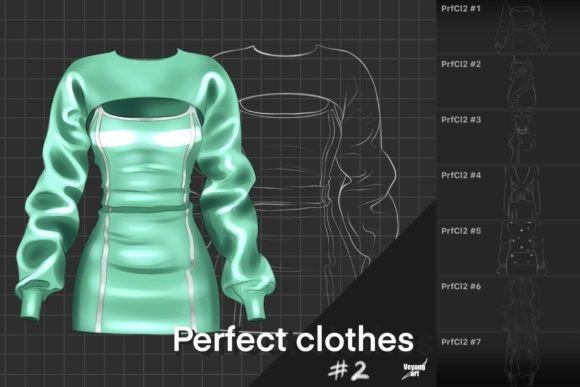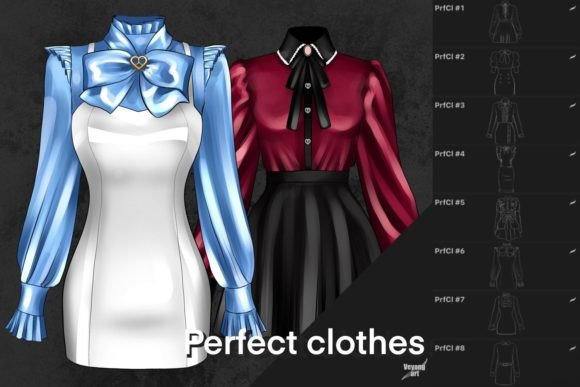
Procreate Clothes Brushes: Elevating Fashion Illustration with Digital Texture
Digital fashion illustration has evolved from flat, vector-like sketches into rich, textured artworks that mimic the tactile feel of real fabric. At the heart of this transformation are specialized tools like Procreate Clothes Brushes. These are not merely standard painting tools; they are engineered specifically to replicate the complex interplay of light, shadow, and weave found in textiles. For artists working within the iPad ecosystem, these brushes offer a shortcut to realism that would otherwise take hours of manual detailing.
However, it is crucial to understand the technical boundaries of these assets. This is a digital file designed exclusively for the Procreate application. The brush engine in Procreate utilizes specific metadata and rendering capabilities that are not compatible with other software such as Photoshop, Clip Studio Paint, or Affinity Designer. Attempting to import these files into other programs will result in errors or non-functional stamps. Recognizing this limitation early saves time and ensures you are working within the right environment to maximize the potential of your toolkit.
Bridging the Gap Between Sketch and Reality
The primary value of Procreate Clothes Brushes lies in their ability to convey materiality instantly. In traditional media, rendering silk requires different techniques than rendering wool. In digital art, switching between these textures often involves changing layer settings, adjusting opacity, or manually painting noise patterns. Specialized clothes brushes automate much of this process.
Consider the scenario of a concept artist working on a character design for a video game. They need to communicate not just the cut of a jacket but its weight and durability. Using a heavy denim stamp brush, they can lay down the base texture in seconds. The brush handles the micro-details of the twill weave, allowing the artist to focus on the macro-forms, such as folds and draping. This efficiency is invaluable in industries where turnaround time is critical.
Real-World Applications Across Industries
The utility of these brushes extends beyond hobbyist illustration. Various professionals find unique ways to integrate them into their workflows.
Fashion Design and Technical Flats
Fashion designers often need to present ideas to clients or manufacturers before creating physical samples. While technical flats require precision, mood boards and conceptual sketches benefit from atmospheric depth. By using Procreate Clothes Brushes, designers can create presentations that feel luxurious and tangible. A cashmere sweater sketch gains immediate appeal when the brush mimics the soft halo of the fiber, helping stakeholders visualize the final product’s quality.
Editorial and Editorial Illustration
Magazines and online publications frequently commission illustrations that accompany articles on style, trends, or sustainability. Editors look for visuals that stand out in a crowded digital feed. Artists who utilize textured clothing brushes can produce work that feels organic and hand-crafted, contrasting sharply with the sterile look of stock photography. The imperfections introduced by these brushes add a human touch that resonates with readers seeking authenticity.
Social Media Content Creation
Influencers and content creators in the lifestyle niche often create their own graphics for Instagram stories or Pinterest pins. A fashion blogger might use these brushes to overlay digital outfits onto photos or to create stylized icons representing different seasons. The visual consistency provided by a cohesive brush set helps build a recognizable brand aesthetic. Since the brushes are optimized for speed, creators can produce high-quality visuals daily without burning out.
Navigating the Learning Curve
While Procreate Clothes Brushes are powerful, they are not magic wands that fix poor underlying drawing skills. The most common mistake beginners make is relying too heavily on the texture to define the form. If the underlying anatomy or the physics of the drape is incorrect, the texture will look pasted on rather than integrated.
To get the best results, artists should focus on the structure first. Draw the garment’s shape and volume using basic shapes. Once the foundation is solid, apply the cloth brushes to add surface detail. Pay attention to how light hits the fabric. A satin brush will behave differently under direct light compared to a matte cotton brush. Understanding these nuances allows for more convincing renderings.
Another consideration is resolution. Since these are raster-based brushes, scaling them up too much can lead to pixelation. It is advisable to work on a canvas with sufficient dimensions, typically at least 300 DPI for print purposes or high-resolution screens. This ensures that the intricate details of the weave remain crisp and clear.
Customization and Workflow Integration
One of the strengths of the Procreate ecosystem is its customizability. Even though Procreate Clothes Brushes come pre-configured, users can tweak settings to suit their specific style. Adjusting the grain size, spacing, or pressure sensitivity can transform a stiff leather texture into something more supple. Experimenting with blend modes is also key. Multiplying a texture layer over a base color can deepen shadows, while screening it can highlight raised areas of the fabric.
Artists often combine these brushes with standard round brushes for blending. The clothes brushes provide the texture, but standard brushes help smooth out transitions between light and dark areas. This hybrid approach creates a balanced look that is neither too chaotic nor too flat.
Limitations and Practical Considerations
It is important to acknowledge what these brushes cannot do. They are static stamps or pattern generators, meaning they do not dynamically simulate physics. If a character is moving rapidly, the artist must manually adjust the direction of the weave or the stretch of the fabric to match the motion. The brush provides the look, but the artist provides the logic.
Additionally, because this is a digital file exclusive to Procreate, collaboration with teams using other software requires export strategies. Artists may need to flatten their layers or export high-resolution PNGs if sharing source files is not an option. This lack of cross-platform compatibility is a significant factor for studios that operate across multiple software environments.
Despite these limitations, the time saved in texturing is substantial. For solo practitioners and small teams, the efficiency gain outweighs the constraints. The ability to iterate quickly on different fabric choices—swapping linen for silk with a single brush change—allows for greater creative exploration.
Choosing the Right Brush Set
When selecting Procreate Clothes Brushes, consider the variety of textures included. A comprehensive set should cover basics like cotton, denim, wool, silk, and leather. Look for sets that include both pattern stamps for large areas and detailed edge brushes for seams and hems. Reading reviews from other illustrators can provide insight into how well the brushes perform on different iPad models and Apple Pencil generations.
Ultimately, these tools are about enhancing your artistic voice, not replacing it. They serve as a bridge between imagination and execution, allowing you to focus on storytelling and design rather than getting bogged down in repetitive texturing tasks. Whether you are designing the next big fashion trend or illustrating a character for a graphic novel, mastering these brushes can elevate the professionalism and impact of your digital artwork.