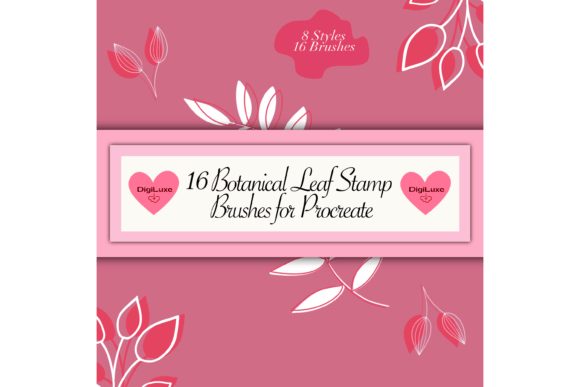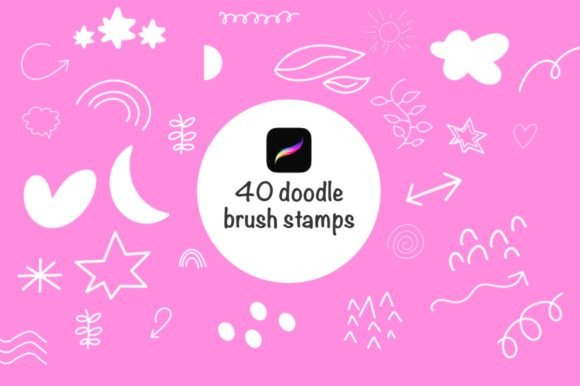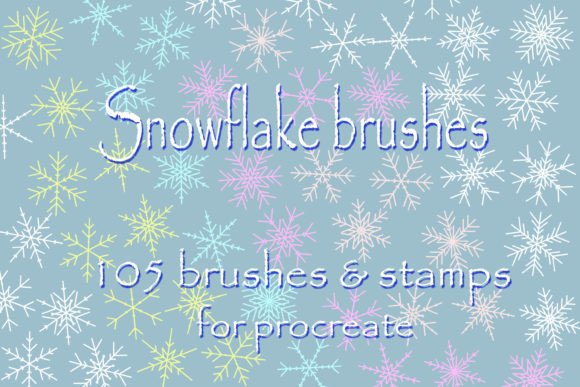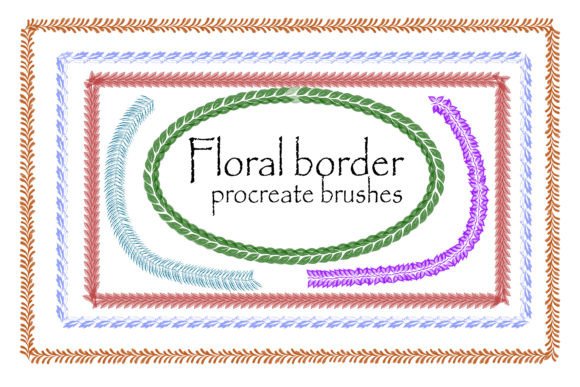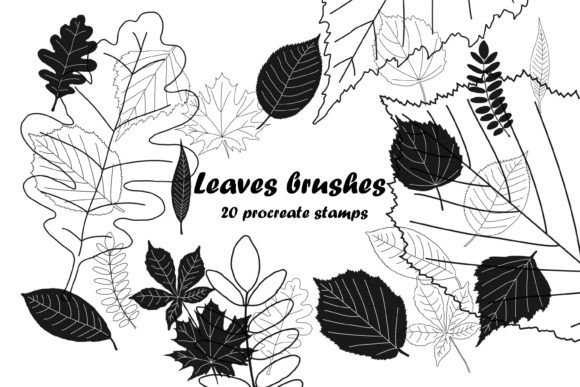
Leaves Brushes Stamp for Procreate
Digital illustration often hits a wall when artists spend more time rendering repetitive textures than developing their core concepts. Foliage, in particular, is notorious for consuming hours of meticulous work. This is where the Leaves Brushes Stamp for Procreate transforms the workflow from tedious to intuitive. By integrating high-quality, pre-designed leaf stamps into your digital toolkit, you reclaim time for composition, lighting, and storytelling. Whether you are designing a brand identity, illustrating a children’s book, or creating social media graphics, these tools offer a bridge between organic beauty and digital efficiency.
The true value of this resource lies in its versatility. It is not merely a collection of static images but a dynamic set of tools designed to adapt to various artistic styles. With compatibility across major platforms, including a dedicated .brushset file for Procreate and an .abr archive suitable for both Photoshop and Procreate, creators can maintain consistency regardless of their preferred software environment. This cross-platform flexibility ensures that your creative momentum is never interrupted by technical limitations.
Streamlining the Creative Workflow
For professional designers and freelancers, time is a tangible currency. Manually painting every vein and edge of a botanical element is rarely the best use of billable hours. The Leaves Brushes Stamp for Procreate allows for rapid prototyping and execution. Imagine working on a packaging design for an organic tea brand. Instead of spending days sketching individual leaves, you can layer different stamp variations to create lush, complex arrangements in minutes. This speed does not sacrifice quality; rather, it allows you to iterate faster, testing multiple compositions before settling on the final design.
Educators and hobbyists also benefit significantly from this approach. For those teaching digital art, demonstrating how to build complex scenes using modular elements can be more instructive than watching a slow, real-time painting process. Students can focus on color theory, spacing, and balance without getting bogged down in the mechanics of brush control. Similarly, hobbyists who may feel intimidated by the precision required for realistic botanical illustrations can achieve professional-looking results with greater confidence.
Exploring Artistic Possibilities
The aesthetic potential of leaf stamps extends far beyond simple realism. While the base forms are natural, their application can be stylized to fit numerous genres. Consider the following creative directions:
- Minimalist Branding: Use single, clean leaf stamps to create elegant logos or icons. By reducing opacity and simplifying color palettes, you can achieve a sophisticated, modern look suitable for wellness brands or eco-friendly startups.
- Whimsical Illustration: Layer multiple stamps with varying rotations and scales to create dense, magical forests for children’s books. Adding texture overlays or grain effects can give these digital stamps a hand-printed, storybook feel.
- Abstract Backgrounds: Scatter leaf stamps randomly and apply blur effects or gradient maps to create atmospheric backgrounds for web design or poster art. This technique adds depth and organic movement without distracting from foreground text.
- Seasonal Themes: Adjust hue and saturation to transform green spring leaves into vibrant autumn foliage or frosty winter silhouettes. This adaptability makes the brush set a year-round asset for marketers creating seasonal campaigns.
Each of these applications demonstrates how a single tool can serve diverse creative goals. The key is experimentation. Do not hesitate to distort, recolor, or combine stamps with other brushes to create something entirely new. The Leaves Brushes Stamp for Procreate is a starting point, not a constraint.
Technical Integration and Compatibility
Understanding the file formats included in this package is essential for maximizing its utility. The download includes two primary files, each optimized for specific workflows:
- The .brushset File: This format is exclusively compatible with the Procreate app on iPad. It installs directly into your brush library, offering a seamless experience with pressure sensitivity and tilt support if applicable. This is the ideal choice for mobile creators who value portability and intuitive touch controls.
- The .abr File: Stored within an archive, this Adobe Brush file is suitable for both Photoshop and Procreate. For Photoshop users, it integrates into the standard brush panel, allowing for advanced layer masking and blending mode adjustments. For Procreate users who prefer importing via iTunes or cloud services, this format offers an alternative installation method.
This dual-format approach ensures that whether you are working on an iPad during a commute or at a desktop workstation in your studio, your tools remain consistent. It eliminates the need to recreate assets when switching devices, preserving the integrity of your project files.
Best Practices for Professional Results
To ensure your work remains original and avoids the "stock asset" look, consider these practical recommendations:
Vary Your Parameters: Never rely on a single stamp size or angle. Rotate each instance slightly and adjust the scale to mimic natural randomness. Nature is rarely uniform, and your digital arrangements should reflect that organic imperfection.
Layer and Blend: Use blending modes such as Multiply, Overlay, or Soft Light to integrate the stamps with your background colors. This helps the leaves feel like part of the scene rather than stickers placed on top. Adding subtle shadows or highlights manually can further enhance depth.
Customize Colors: Avoid using the default black or green. Sample colors from your existing palette to ensure harmony. You can also use clipping masks to paint gradients directly onto the leaf stamps, giving them dimension and lighting consistency with the rest of your artwork.
Maintain Organization: When working on complex projects, group leaf layers logically. Name your layers clearly and use folder structures to separate foreground foliage from background elements. This discipline makes future edits manageable and keeps your file size optimized.
Adapting to Different Audiences and Platforms
Content creators must tailor their visuals to specific platforms. For Instagram or Pinterest, bold, high-contrast leaf arrangements catch the eye in scrolling feeds. Use the Leaves Brushes Stamp for Procreate to frame quotes or highlight product shots. For blog posts or educational materials, subtler, watercolor-style leaf accents can break up text and add visual interest without overwhelming the reader.
Small business owners can leverage these brushes for DIY marketing materials. From thank-you cards to invoice headers, adding a touch of botanical elegance elevates perceived value. Entrepreneurs can use these elements in pitch decks to convey growth, sustainability, or freshness, aligning visual metaphors with business messaging.
Ultimately, the goal is to enhance communication through design. These brushes are not just decorative; they are functional tools that help convey mood and message efficiently. By mastering their application, you expand your visual vocabulary and increase your capacity to deliver compelling, professional-grade work.
Embrace the flexibility of digital tools. Let the Leaves Brushes Stamp for Procreate handle the repetitive details so you can focus on the big picture. Whether you are crafting a delicate invitation or a bold advertisement, these resources empower you to create with clarity, consistency, and creative freedom.