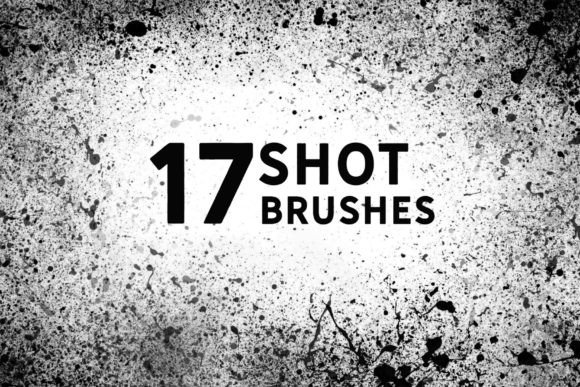
Unleashing Organic Texture: A Deep Dive into the 17 Splatter Brushes Set for Digital Artists
In the rapidly evolving landscape of digital art, texture is often the dividing line between a flat, sterile image and a piece that breathes with life. While clean lines and perfect gradients have their place, there is an undeniable power in chaos. This is where the 17 Splatter Brushes Set steps in, offering artists a curated collection designed not just to stamp static overlays, but to serve as dynamic painting tools. Whether you are a concept artist sketching out rough ideas or a matte painter adding atmospheric depth, understanding how to leverage these unique tools can significantly elevate your workflow.
Beyond Static Stamps: The Power of Paintable Texture
A common misconception among digital artists new to specialized brush packs is that splatter brushes are merely "stamp" tools. Users often drag a pre-made splat onto the canvas, adjust the opacity, and move on. While this has its utility, it limits creative potential. The 17 unique splatter brushes included in this set are engineered differently. They are built to respond to pressure, tilt, and speed, allowing you to actually paint with them.
This distinction is crucial for maintaining artistic flow. When you can paint a splatter effect rather than placing it, you retain control over the density, direction, and distribution of the ink or paint droplets. This capability transforms the brush from a simple asset into an extension of your hand. You can build up layers of grime, create explosive impact effects, or simulate the natural randomness of watercolor bleeding into paper. The result is a more organic integration of texture into your artwork, avoiding the repetitive patterns that often plague amateur digital compositions.
Ideal Applications Across Creative Disciplines
The versatility of this brush pack makes it a valuable addition to various artistic pipelines. Here is how different types of creators can maximize the utility of these tools:
- Sketching and Ideation: In the early stages of concept art, rigid cleanliness can stifle creativity. Using splatter brushes for quick sketches allows for loose, energetic lines that capture motion and mood without getting bogged down in details.
- Illustration Base Layers: Starting an illustration with a textured base can provide immediate visual interest. These brushes help establish a gritty or organic foundation upon which cleaner elements can be layered, creating a pleasing contrast between order and chaos.
- Matte Painting and Environment Design: Real-world environments are rarely pristine. Dust, rain, mud, and weathering are essential for realism. The 17 Splatter Brushes Set provides the necessary assets to quickly add these environmental storytelling elements, such as mud splashes on a vehicle or rain streaks on a window.
- Concept Art: Speed is essential in concept art. Being able to rapidly block in textures for materials like rusted metal, wet stone, or biological surfaces saves hours of manual rendering.
Compatibility and Workflow Integration
One of the most significant barriers to adopting new digital tools is software compatibility. Artists often hesitate to invest time in learning a new brush set if they are unsure whether it will work within their existing ecosystem. Fortunately, this collection is designed with broad interoperability in mind, ensuring that you can integrate it seamlessly into your preferred digital studio.
The primary format provided is the .abr file, which is the industry standard for Adobe Photoshop. If you are working in Photoshop CC, installation is straightforward, and the brushes will immediately recognize tablet pressure sensitivity, allowing for the nuanced control mentioned earlier. However, the utility extends far beyond Adobe’s suite.
Procreate and Mobile Workflows
For artists who prefer the tactile experience of drawing on an iPad, the set is fully compatible with Procreate 5.0 and newer versions. Procreate has become a powerhouse for illustrators and hobbyists alike, and having access to high-quality splatter brushes on a mobile device means you can capture inspiration anywhere. The brushes maintain their dynamic properties, ensuring that the transition from desktop to tablet does not compromise the quality of your texture work.
Expanding to Clip Studio Paint and Affinity Photo
The digital art community is diverse, and many professionals rely on alternatives to Photoshop. Users of Clip Studio Paint v1.10.5 or newer will be pleased to know that they can import these .abr files directly. Clip Studio Paint is renowned for its comic and manga creation tools, but its painting engine is equally robust. Importing these splatter brushes allows manga artists to add dramatic sound effect backgrounds or gritty noir textures with ease.
Similarly, Affinity Photo users can import these brushes to enhance their photo manipulation and digital painting projects. As Affinity continues to gain traction as a cost-effective alternative to subscription-based software, having access to premium brush sets ensures that users do not have to sacrifice tool quality for affordability. This cross-platform compatibility ensures that the 17 Splatter Brushes Set remains a relevant tool regardless of how your software preferences evolve over time.
Technical Characteristics and Artistic Control
What makes these 17 brushes stand out is not just their quantity, but the thoughtful variation in their design. Each brush in the set offers a unique personality. Some are designed to mimic heavy, viscous paint that clumps and drips, while others simulate fine mist or aerosol spray. This variety allows for a high degree of specificity in your work.
When using these brushes, consider the following technical aspects to get the best results:
- Pressure Sensitivity: Experiment with how hard you press on your tablet. Lighter touches may produce faint mists, while heavier pressure can create bold, opaque splatters. This dynamic range is key to achieving depth.
- Layer Blending Modes: Don’t be afraid to change the blending mode of the layer you are painting on. Modes like Multiply can darken underlying colors for realistic dirt effects, while Screen or Add can create glowing particle effects or magical sparks.
- Color Variation: Avoid using pure black for all splatters. In nature, shadows and dirt have color. Try using deep blues, browns, or purples to make the textures feel more integrated into the lighting of your scene.
Enhancing Modern Digital Workflows
In modern digital production, efficiency is paramount. The ability to quickly generate complex textures without resorting to third-party stock photos or time-consuming manual painting is a significant advantage. The 17 Splatter Brushes Set fits perfectly into this need for speed and quality. It allows artists to iterate faster, testing different visual styles without committing hours to texture creation.
Moreover, these brushes encourage experimentation. Because they are easy to use and forgiving, artists are more likely to take risks. You might discover that a specific splatter pattern works perfectly as a cloud formation in a fantasy landscape or as blood spatter in a horror game asset. This element of surprise and discovery is often where the most innovative art is born.
Ultimately, investing in a high-quality brush set is about expanding your visual vocabulary. The 17 unique splatter brushes provide a new set of words with which to tell your visual stories. Whether you are refining a polished illustration or roughing out a quick concept, these tools offer the flexibility and realism needed to bring your digital creations to life. By understanding their capabilities and integrating them into your daily practice, you can achieve a level of organic detail that resonates with viewers and elevates your professional portfolio.