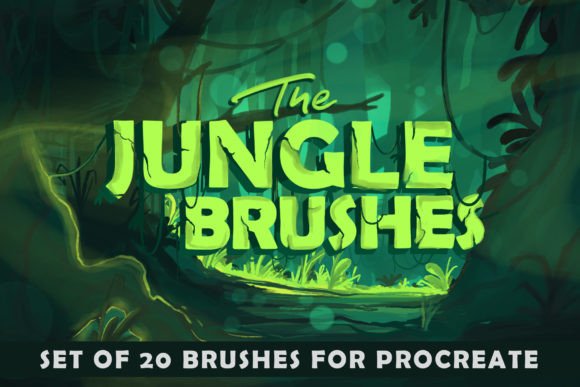
Unleashing Organic Texture: A Deep Dive into The Jungle Procreate Brushes
Digital illustration has evolved far beyond the clean, vector-like lines of early software. Today, artists crave texture, imperfection, and the tactile feel of traditional media. This is where specialized toolsets become indispensable. Among the myriad of options available for iPad users, The JUNGLE PROCREATE BRUSHES stand out as a robust collection designed to bridge the gap between digital precision and organic chaos. Whether you are crafting whimsical children’s book illustrations or gritty, grunge-style comics, this set offers twenty authentic tools that redefine how you approach texture and shading on your tablet.
The Philosophy Behind the Brush Set
The core appeal of The Jungle Procreate Brushes lies in their versatility and authenticity. Unlike generic brush packs that often feel repetitive or overly processed, this collection focuses on delivering a raw, natural aesthetic. The developers have curated these tools to mimic the unpredictable behavior of real-world art supplies. When you drag the Apple Pencil across the screen, the response is not just a static line; it is a dynamic interaction that reacts to pressure, tilt, and speed.
This set is particularly effective for artists who want to break away from the sterile look of default digital brushes. By incorporating elements like dry paint textures, retro dots, and uneven liners, the brushes introduce a layer of complexity that makes digital art feel hand-crafted. It is not just about drawing; it is about painting with intention, allowing the medium to contribute to the final artistic expression.
Breaking Down the Toolkit
Understanding what is inside the package helps users maximize their workflow. The download comes as a .zip file containing TheJungle_Brushes.brushset, which imports directly into Procreate. Once installed, you gain access to twenty distinct brushes, each serving a specific purpose in the creative pipeline. Here is a closer look at some of the key components:
- Liners and Outliners: Brushes like Linersthine, Liners, and Usedline provide varied stroke weights. These are essential for comic artists who need consistent yet characterful outlines that don’t look mechanically perfect.
- Texture and Grunge: The Gruncolorer and Drybrush tools are standout features. They allow for the application of color with a scratched, worn appearance, ideal for creating aged posters, urban landscapes, or distressed backgrounds.
- Shading and Depth: A significant portion of the set is dedicated to shading. Tools such as Shadegust, Shademax, Shademut, and Shadedot offer different densities and patterns. This variety allows artists to build up shadows gradually, avoiding the flat look that often plagues beginner digital paintings.
- Specialty Effects: Brushes like Retrodot and Jungleleaf add unique stylistic flourishes. The Retrodot brush, for instance, can instantly give an illustration a mid-century print vibe, while Jungleleaf provides organic shapes that save time when illustrating nature scenes.
Integrating into Modern Workflows
For professional illustrators and hobbyists alike, efficiency is key. The JUNGLE PROCREATE BRUSHES are designed to fit seamlessly into various project types. Consider a children’s book illustrator. They might use the Colorit brush for soft, blended backgrounds that feel warm and inviting, then switch to Dryliner for sketchy, playful character outlines. The ability to adjust color and width on the fly means the artist never has to leave the canvas to tweak settings, maintaining creative flow.
In the realm of comic art, the grunge elements are invaluable. A superhero comic might require clean lines for the characters but a chaotic, textured background to convey action or destruction. The Shadeslast and Shadedomix brushes can quickly lay down atmospheric effects that would take hours to achieve with standard round brushes. This adaptability makes the set suitable for realistic projects as well, where subtle textural variations can enhance skin tones or fabric details.
Technical Compatibility and Requirements
It is crucial to address the technical constraints before purchasing. These brushes are engineered exclusively for Procreate on the iPad. They leverage the specific engine capabilities of Procreate, including pressure sensitivity and tilt recognition. Therefore, they do not work in Adobe Photoshop, Illustrator, or any other desktop-based illustration software. Attempting to import them into other programs will result in errors or non-functional tools.
Furthermore, to get the most out of The Jungle Procreate Brushes, using an Apple Pencil or a highly compatible stylus is mandatory. The nuanced textures rely on the precise input data provided by these devices. A finger or a basic capacitive stylus will not trigger the pressure-dependent variations that give these brushes their authentic feel. Users should ensure their iPad model supports the latest version of Procreate to avoid any compatibility issues with the brush engine.
Installation and Setup
Getting started is straightforward, which is a relief for artists eager to dive into creation. The process involves downloading the .zip file from your purchase source. On your iPad, locate the file in your Files app. Preview the content, and you will see the TheJungle_Brushes.brushset file. A simple tap on this file triggers the import process, automatically adding the entire set to your Procreate brush library. There is no need for complex folder management or manual installation of individual brushes.
Once imported, it is recommended to organize the new brushes within your Procreate interface. You might create a dedicated group for "Jungle Tools" to keep them separate from your default sets. This organization helps in quickly locating the right tool during intense drawing sessions. Remember, the color and width of the strokes can be adjusted easily using the standard Procreate sliders, allowing for infinite customization of each brush’s base behavior.
Why Choose This Set?
The market is saturated with digital brushes, so why select this particular collection? The answer lies in the curation. Rather than offering hundreds of mediocre options, The JUNGLE PROCREATE BRUSHES provide twenty high-quality, distinct tools that cover a wide range of artistic needs. From the delicate Junois to the bold Retried, each brush has a clear identity.
Moreover, the focus on "authentic" textures addresses a common pain point for digital artists: the lack of soul in digital media. By simulating the irregularities of physical media, these brushes help artists create work that resonates more deeply with viewers accustomed to traditional art forms. Whether you are designing album covers, creating social media content, or working on client commissions, the added depth and character provided by this set can elevate your portfolio.
In conclusion, if you are looking to expand your digital toolkit with resources that prioritize texture, versatility, and ease of use, this brush set is a compelling choice. It respects the limitations of the platform while maximizing its potential, offering a genuine jungle of creative possibilities for those willing to explore.