Unlocking Creative Texture with Far out Art Brushes for Procreate
Digital illustration has evolved far beyond clean lines and flat colors. Today, audiences crave depth, imperfection, and tactile qualities that mimic the physical world. This is where Far out Art Brushes for Procreate enters the conversation. It is not just another pack of standard inking tools; it is a curated collection designed to inject personality, grunge, and luminous effects into your digital workflow. For creators who feel stuck in the sterile precision of default software tools, this brush set offers a way back to organic expression.
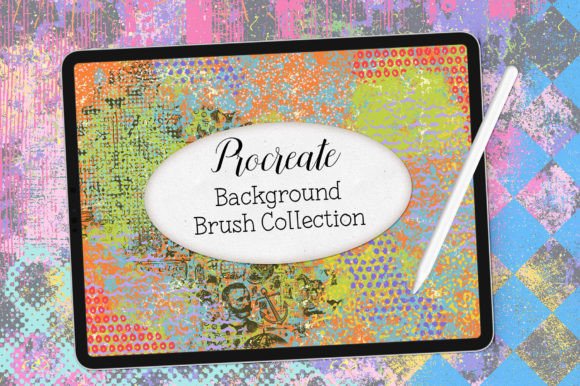
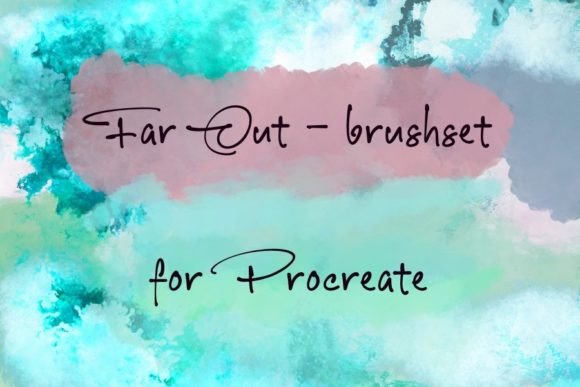
The package includes twenty unique brushes, all contained within a single .brushset file compatible with every version of Procreate. While the installation is straightforward—simply AirDrop the file to your iPad or download it directly and tap to open—the real value lies in how these tools change your approach to composition. They are described as funky, fun, and different, which translates practically to brushes that break the monotony of perfect digital symmetry.
Breaking the Digital Sterility
One of the most common complaints among digital artists, especially those transitioning from traditional media, is the "too clean" look of their work. Vector-like perfection can feel cold. The Far out Art Brushes address this by focusing on light and grunge textures. These are not subtle adjustments; they are bold statements. When you apply a grunge texture to a background, you instantly create a sense of history and wear. It suggests that the image exists in a real space, subject to weathering and time.
Consider a graphic designer working on a poster for a local music festival. Using standard solid colors might make the design look corporate or generic. By integrating the grunge elements from this brush set, the designer can overlay distressed textures that evoke the raw energy of live music. The result is a visual that feels authentic and grounded, resonating more deeply with an audience that values underground or indie aesthetics. This is where the tool moves from being a simple asset to a strategic design choice.
Practical Applications for Diverse Creators
The versatility of these twenty brushes means they serve a wide range of users, not just fine artists. Here is how different professionals and hobbyists can leverage this specific set:
- Social Media Managers and Content Creators: In a feed saturated with polished, high-gloss images, textured graphics stand out. Use the light-effect brushes to create eye-catching overlays for Instagram stories or Pinterest pins. A subtle glow or a gritty border can frame text in a way that feels handmade and personal, increasing engagement through visual distinctiveness.
- Educators and Presentation Designers: Teachers creating digital worksheets or slide decks often struggle to keep students engaged with static text. Adding artistic backgrounds using these brushes can soften the academic rigidity. A math worksheet with a faint, textured paper background feels less intimidating and more inviting than a stark white page.
- Small Business Owners and Marketers: Branding requires consistency but also character. If your brand voice is playful or rugged, these brushes help visualize that identity. Imagine a coffee shop owner designing their own loyalty cards. Using a grunge brush to add a stained-coffee-ring effect or a rough edge can reinforce the artisanal quality of their product without needing expensive photography.
- Hobbyists and Journalers: For those practicing digital journaling or scrapbooking, the "fun" aspect of these brushes is paramount. They allow for quick experimentation. You do not need to spend hours blending layers to get a watercolor bleed or a charcoal smudge. The brush does the heavy lifting, letting you focus on the narrative of your journal entry rather than the technical execution of the texture.
Understanding the Light and Grunge Dynamic
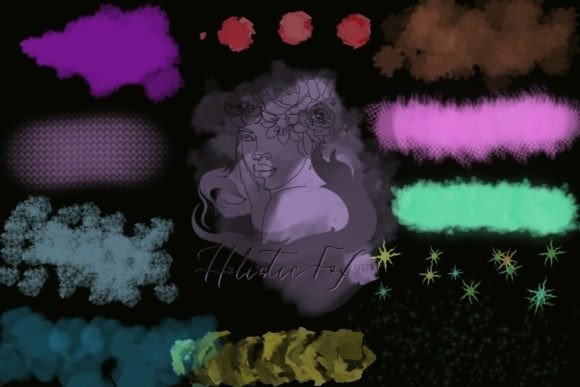
The description highlights two primary categories: light effects and grunge textures. Understanding when to use each is key to maximizing the value of the Far out Art Brushes. Light brushes are ideal for adding focal points. They can simulate lens flares, neon glows, or ethereal mists. Use these when you want to guide the viewer’s eye to a specific part of your composition or to create a mood of optimism and energy.
Conversely, the grunge brushes are about subtraction and decay. They are perfect for creating depth by pushing elements into the background. A common mistake beginners make is applying texture uniformly across an entire canvas. Instead, consider using these brushes selectively. Apply a heavy grunge texture to the corners to vignette the image, or use a light dusting over a solid color block to break up large areas of negative space. This selective application creates a professional, layered look that suggests complexity without clutter.
Installation and Workflow Integration
Technical friction can kill creativity. Fortunately, the installation process for this set is designed to be seamless. Since the file type is .brushset, it integrates natively with Procreate’s library. There is no need for complex folder management or third-party apps. Once you AirDrop or download the file to your iPad, tapping it opens Procreate automatically, and the new set appears in your Brush Library. This immediacy is crucial for maintaining flow state. You can discover a new technique at midnight and have the tools ready to go in seconds.
It is important to note that preview images are not included in the zip file. This means you should rely on the seller’s product page for visual references before purchasing. Once installed, however, the best way to learn the brushes is by doing. Create a test canvas and stroke each of the twenty brushes at varying opacities and sizes. You will quickly discover which ones respond well to pressure sensitivity and which are better suited for broad, sweeping gestures.
Considerations Before You Buy
While the Far out Art Brushes for Procreate offer significant creative benefits, they are not a magic solution for poor composition. These tools enhance existing skills; they do not replace fundamental design principles. Before downloading, consider your current workflow. Do you already have a library of texture brushes? If so, ask yourself if these twenty unique options offer something distinct. The selling point here is their "funky" and "different" nature. If you prefer hyper-realistic oil paints or precise architectural pens, this set might not align with your daily needs.
Additionally, think about your output medium. Grunge textures shine in digital displays and print materials like posters, zines, and packaging. However, if you are creating assets for ultra-clean corporate interfaces or minimalist app designs, these brushes may be too expressive. Context matters. The right tool is the one that solves the specific problem you face in a given project.
Final Thoughts on Creative Expansion
Investing in specialized tools like the Far out Art Brushes is an investment in your creative vocabulary. Each new brush adds a word to your visual language, allowing you to express nuances that were previously difficult to achieve. Whether you are a freelancer looking to differentiate your portfolio, a marketer aiming for higher engagement, or a hobbyist seeking joy in the process, these brushes provide a tangible way to break routine. They remind us that digital art can be messy, bright, imperfect, and profoundly human. By integrating these textures and lights into your work, you are not just decorating; you are communicating mood, atmosphere, and style with greater efficiency and impact.