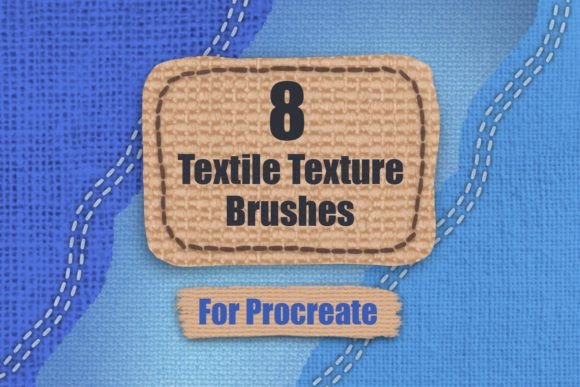
Procreate Textile Texture Brushes Set
Digital illustration often faces a common hurdle: the "flatness" of the screen. While digital tools offer infinite color palettes and undo buttons, they can sometimes lack the tactile warmth and organic imperfection of traditional media. This is where specialized tools become essential for artists aiming to bridge the gap between digital precision and physical realism. The Procreate Textile Texture Brushes Set addresses this specific need by providing creators with a curated collection of assets designed to mimic the complex weave and feel of fabrics.
For professionals and hobbyists alike, adding texture is not merely about decoration; it is about grounding an image in reality. Whether you are designing character costumes, creating mockups for print-on-demand products, or illustrating editorial pieces, the ability to render convincing fabric can elevate the perceived quality of your work significantly. This set includes eight distinct textile texture brushes, each engineered to interact seamlessly with Procreate’s layering system, allowing for nuanced control over how light and shadow play across virtual threads.
Enhancing Realism Through Seamless Patterns
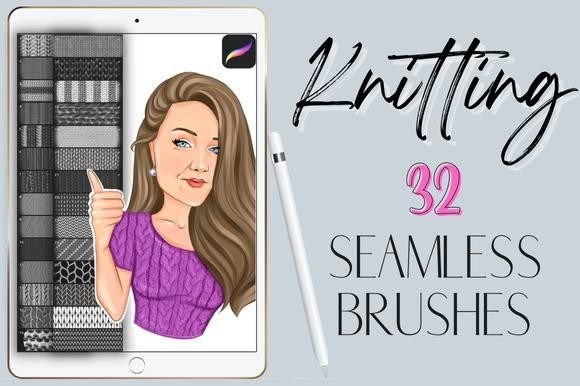
The core value of this brush set lies in its seamless nature. Unlike standard stamp brushes that leave visible edges or repetitive patterns that break immersion, these eight procreate brushes are designed to tile infinitely without obvious seams. This feature is particularly crucial when working on large-scale illustrations or background elements where consistency is key. By using these tools, artists can cover expansive areas with realistic fabric textures—such as linen, denim, wool, or silk—without spending hours manually painting individual fibers.
The practical application of these brushes extends beyond simple background fills. When combined with overlays and clipping masks, they become powerful tools for adding depth and interest to any digital art piece. For instance, a character designer might use a coarse canvas texture overlay to give a digital painting the feel of a traditional oil painting on cloth. Alternatively, a graphic designer could apply a subtle knit pattern to a sweater illustration using a clipping mask, ensuring the texture conforms perfectly to the folds and contours of the garment. This technique adds a layer of sophistication that flat colors simply cannot achieve.
Streamlining the Creative Workflow
Time is a critical resource for freelancers, entrepreneurs, and content creators. Manually rendering textile details from scratch is a labor-intensive process that can slow down project turnaround times. The Procreate Textile Texture Brushes Set offers a efficient solution by providing pre-built textures that are ready to use immediately. With a total file size of only 30.5 MB, the zip file is lightweight and easy to download, ensuring that installation does not clutter your device’s storage.
Compatibility is another significant factor for efficiency. These brushes are fully supported by Procreate 5x, which means they integrate smoothly with the latest features of the app, including pressure sensitivity and tilt recognition. This ensures that the texture application feels natural and responsive to the artist’s hand movements. Furthermore, the inclusion of two bonus simple stitch brushes adds extra versatility, allowing users to add decorative topstitching or embroidery details that complement the main textile textures. This combination allows for a complete fabric rendering workflow within a single toolset.
Practical Applications for Diverse Creators
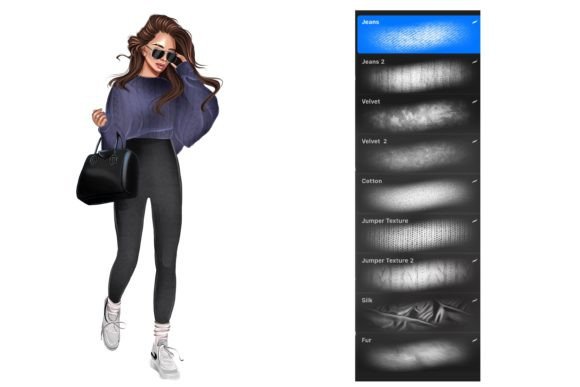
The utility of these brushes spans various creative disciplines. For fashion illustrators, the ability to quickly switch between different fabric types—from smooth satin to rugged denim—allows for rapid prototyping of design ideas. Instead of struggling to convey material differences through shading alone, artists can use the appropriate texture brush to instantly communicate the weight and drape of the fabric.
Graphic designers and marketers will find these tools invaluable for creating product mockups. When presenting a design for a tote bag, pillow, or apparel item, having a realistic textile background helps clients visualize the final product more accurately. This can lead to better communication, fewer revisions, and increased client satisfaction. Similarly, educators and bloggers who create digital content can use these textures to add visual interest to their headers, backgrounds, or instructional diagrams, making their materials more engaging and professional.
Even hobbyists and digital journalers can benefit from incorporating textile textures into their work. Adding a subtle paper or fabric grain to digital planner pages or scrapbook layouts can create a cozy, handmade aesthetic that resonates with audiences seeking authenticity in digital spaces.
Maximizing Potential with Layering Techniques
To truly leverage the Procreate Textile Texture Brushes Set, understanding how to manipulate layers is essential. The guide included in the package, titled "How to resize your brushes pdf," provides foundational knowledge, but experimenting with blend modes is where the magic happens. Using the "Multiply" mode can darken the texture, making it ideal for shadows and worn areas, while "Screen" or "Overlay" modes can highlight the weave without obscuring the underlying colors.
Clipping masks are particularly effective for maintaining clean edges. By placing the texture layer above the base color layer and selecting "Clip," the texture will only appear where the base color exists. This prevents spillover and allows for non-destructive editing, meaning artists can adjust the opacity or blend mode of the texture at any time without affecting the original artwork. This flexibility encourages experimentation, allowing creators to test different looks until they achieve the desired level of realism.
Considerations for Optimal Use
While these brushes are powerful, they are most effective when used with intention. Overusing textures can lead to visual clutter, so it is important to balance textured areas with smooth, flat regions to guide the viewer’s eye. Additionally, the resolution of the canvas matters; higher resolution canvases will display the intricate details of the textile weaves more clearly, while lower resolutions may require adjusting the brush size or opacity to avoid pixelation.
It is also worth noting that while the set includes eight primary textile brushes, the true variety comes from how these tools are customized. Adjusting the spacing, jitter, and size dynamics within Procreate’s brush studio can yield unique variations from the base brushes. This encourages users to develop their own signature styles rather than relying solely on preset outputs.
In conclusion, the Procreate Textile Texture Brushes Set is a practical asset for any digital artist looking to enhance the tactile quality of their work. By providing seamless, high-quality textures and supporting efficient workflows through compatibility and bonus tools, it empowers creators to produce more realistic and engaging art. Whether you are a seasoned professional or an enthusiastic beginner, integrating these brushes into your toolkit can open new avenues for creative expression and technical proficiency.